.avif)
How to Import Locations into Your Store Locator with MapCosmos (Manual, CSV, API)

Efficiently managing multiple store locations on your website is crucial for providing accurate, real-time data to your customers—especially for local search queries like “stores near me” or “find a location near [city name]”.
With MapCosmos, you can import your store locations using manual entry, a CSV upload, or automated API integration. Below is a complete guide to help you choose the best method based on your needs, scale, and technical capacity.
1. Manual Location Entry
For small businesses or those managing a limited number of stores, manual location input is quick and easy.
How to Manually Add Store Locations:
- Log in to your MapCosmos dashboard
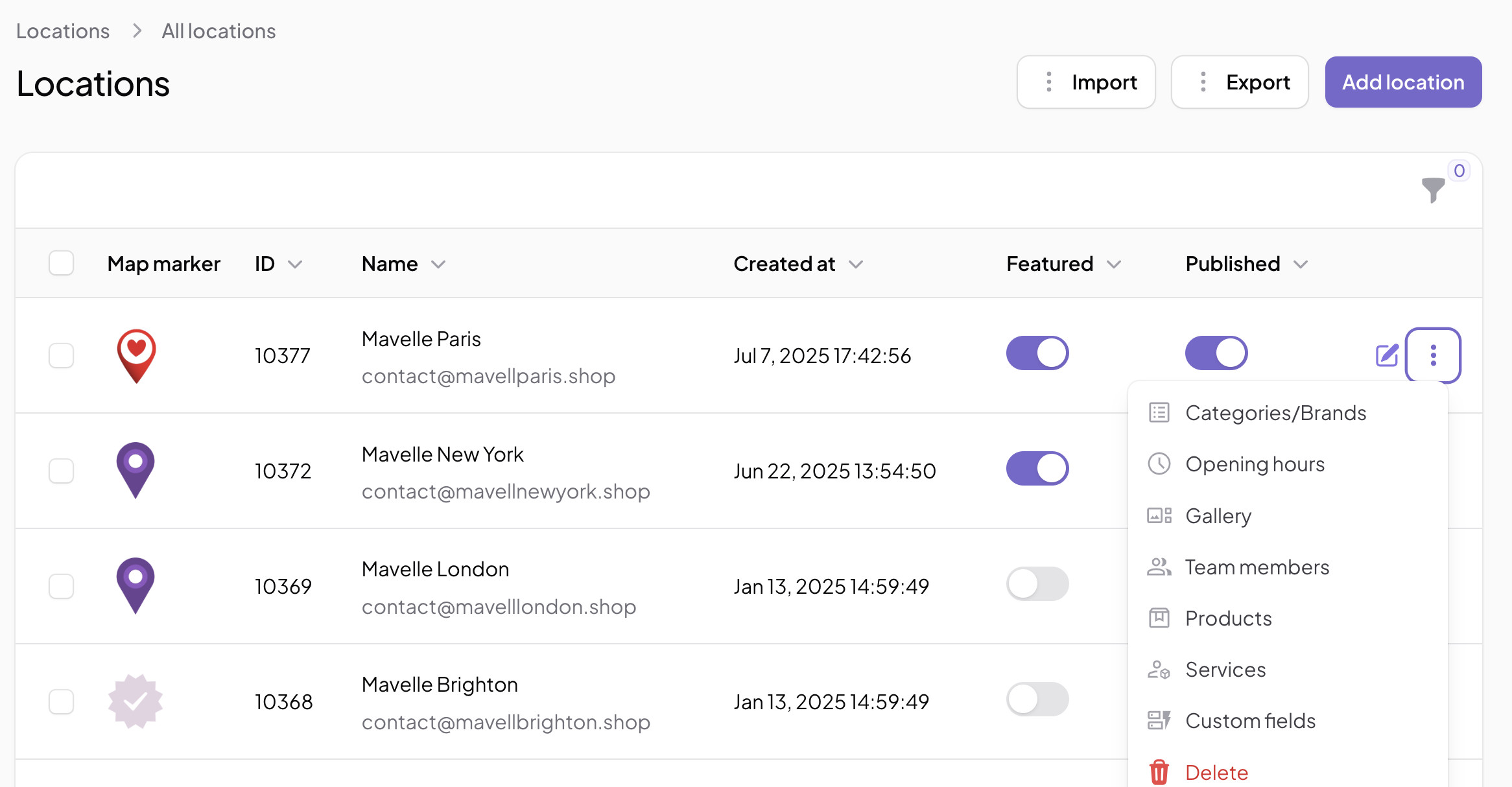
- Navigate to the Locations tab
- Click Add Location
- Fill in details such as:
- Store name
- Address
- Phone number
- Business hours
- Available services
- Team members
- Product offerings
✨ Bonus: Manual entries also support bulk actions, allowing fast updates to store features like image galleries, operating hours, or service areas.
✅ Best for:
- Local businesses with fewer than 10 locations
- Businesses not requiring frequent updates
2. CSV Import – Best for Bulk Uploads
The CSV import feature is ideal for businesses with dozens or hundreds of store locations. It allows you to quickly bulk upload all your store data from a spreadsheet.
How CSV Import Works:
- Prepare a CSV or Excel file with location data.
- Ensure it includes headers like:
Name,Address,City,Zip Code,Phone,Hours,Published
- Upload your file via the Locations > Import section in MapCosmos.
- Map each CSV column to the corresponding system field.
🧩 What Is Field Mapping?
Field mapping connects your file’s column headers with system fields in MapCosmos. For example:
Store Name→nameStatus→publishedContact Number→phone
🧠 Why It Matters:
- Ensures store location data imports correctly
- Prevents data loss or misplacement
- Supports varying file structures (custom headers, etc.)

⚠️ Missing Required Fields?
If any required fields are missing during import, MapCosmos will:
- Show an error alert
- Offer a “Failed Rows” report with:
- Each failed entry
- Error messages and field-specific issues
This allows you to quickly correct mistakes and re-upload the file.
✅ Best for:
- Medium to large businesses with 10–500+ locations
- Franchises or multi-location businesses needing geo-targeted accuracy
- Retailers expanding into new cities, regions, or countries
3. Automated Location Import via API
For businesses needing real-time updates or syncing data from external sources like CRMs, ERPs, or custom databases, the MapCosmos Location API is the most powerful solution.
Benefits of API-Based Location Import:
- Fully automated location creation and updates
- Continuous syncing of services, hours, contact info, etc.
- Supports multi-country store networks
- Eliminates human error and manual overhead
🌍 Example: A national retail chain using Salesforce can automatically push updated location data—including regional promotions—to MapCosmos in real time.
✅ Best for:
- Enterprises with dynamic or frequently changing store data
- SaaS platforms managing locations for clients
- Businesses using custom-built CMS or data systems
🔎 Which Import Method Is Best for Your Business?
📍 Improve Local SEO with Accurate Location Data
Whether your users are searching for “nearest electronics store in Miami” or “open pharmacies near me”, a well-structured store locator with updated location data improves:
- Google local rankings
- Map visibility
- Click-through rates on geo queries
- User experience on mobile devices
Using MapCosmos' import features ensures your business shows up when and where it matters most.
Need Help?
If you need help preparing your CSV file or setting up API integration, contact the MapCosmos support team. We’re happy to guide you through the process or help you decide which method suits your business.
Ready to drive real results
See how MapCosmos transforms browsers into customers with a live walkthrough.