.avif)

Store Locator for Squarespace
Adding a store locator to your Squarespace website has never been easier. With our step-by-step guide, you can quickly set up a fully functional Squarespace store locator that helps your customers find your locations effortlessly. Whether you run a single store or multiple locations, this solution ensures your visitors can search by city, post code, or proximity and get instant results. Our store locator integrates seamlessly with any Squarespace template, requires no coding skills, and is fully customizable to match your website’s design.
By adding a store finder to your site, you not only improve user experience but also increase foot traffic and customer satisfaction. Follow our guide, see the installation process in action, and get your Squarespace store locator up and running in minutes. Start helping your customers find your stores faster and more efficiently today.
How to Add a Store Locator to Squarespace
Part One: Generate the Installation Code for your MapCosmos widget
Your journey begins in the MapCosmos platform, where you will design the map experience that perfectly complements your brand’s identity. Once your widget is matching your desired visuals, copy the installation code provided in the widget's settings:
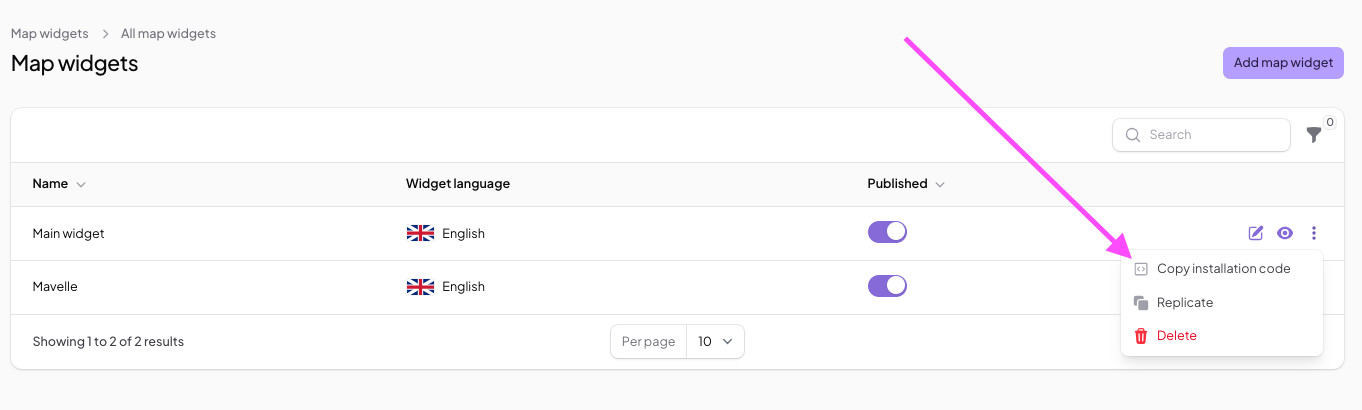
For a comprehensive guide on how to customize your MapCosmos widget, see our guide.
Part Two: Integrating Squarespace store locator with your site
Now, let's bring your custom map into your Squarespace site. This is done using Squarespace’s versatile Code Block feature.
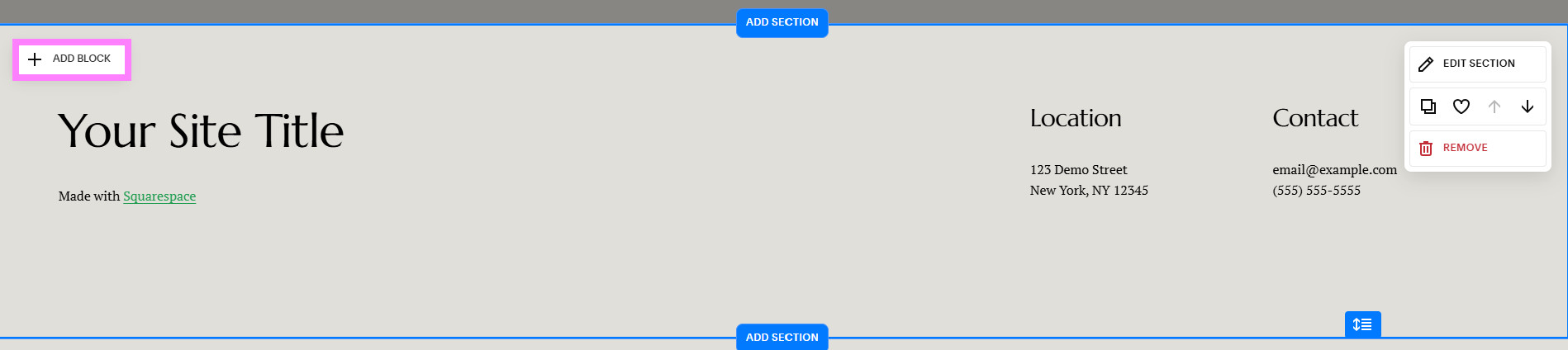
Choose Your Page and Insert Point: While editing the page where you want your map to appear, click Add Block.
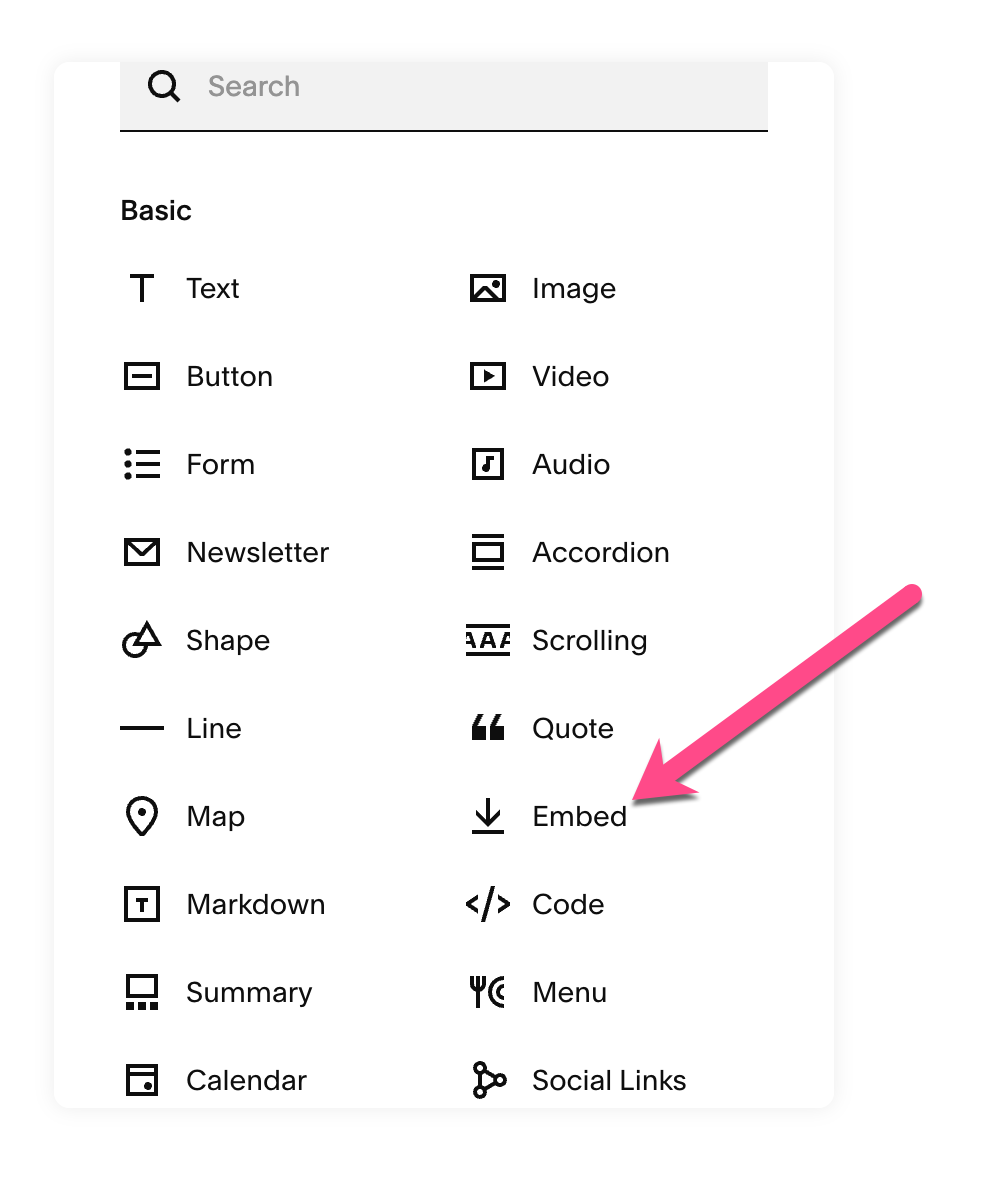
Select the Embed:
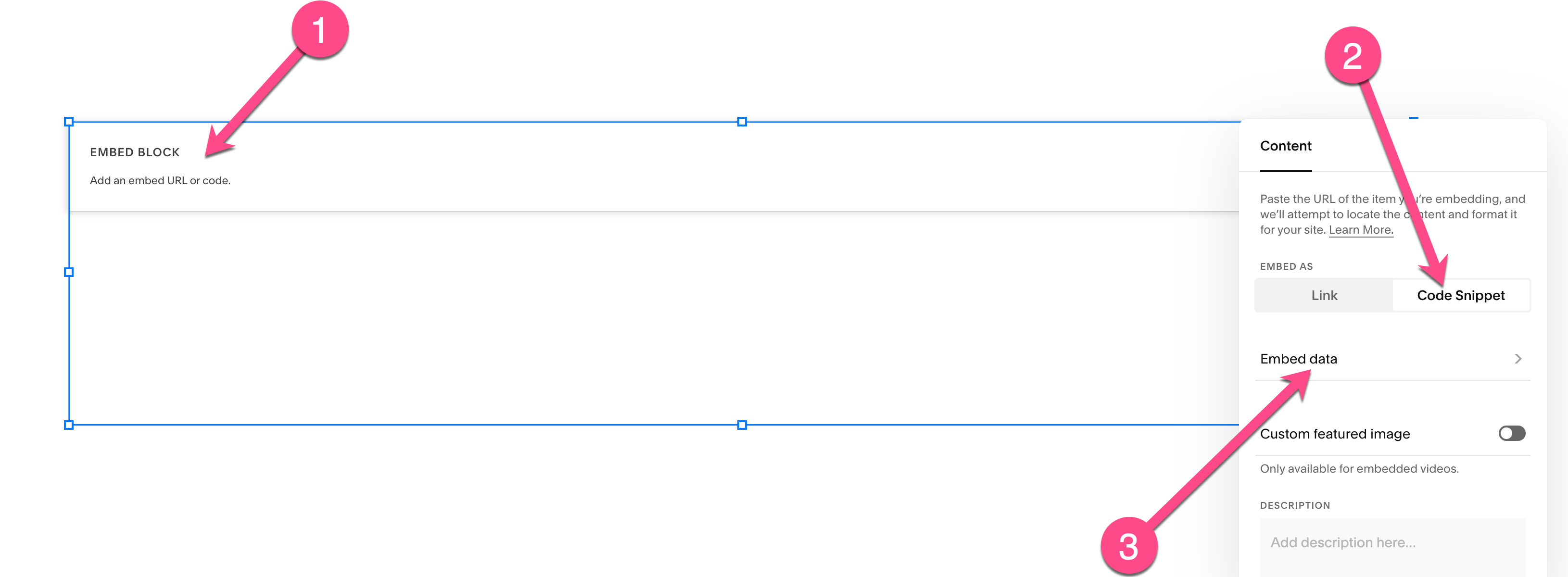
Follow these simple steps to embed your store locator for Squarespace:
- Click the Embed Block twice in the Squarespace editor. The Embed Block settings will appear on the left side of your screen.
- Click “Code Snippet”.
- Next, click “Embed Data to open the code input area
- Paste your store locator embed code (from MapCosmos or your locator tool) into the provided field.
- Save your changes — your store locator Squarespace is now active on your page!

Example:
💡 Troubleshooting Tip:
If your Squarespace map isn’t showing up, it’s likely due to AJAX loading conflicts in your template.
👉 Read our quick fix: Squarespace store locator not loading — 5-minute AJAX-proof solution.
Key Features of the Store Locator
An Elevated User Experience
Your Squarespace site is no longer just a beautiful gallery of your work or products; it's an active guide that connects your online brand with your physical presence.
Your users can now instantly find the nearest location, get one-click directions on their phone, and filter your locations by the specific details you defined. This seamless experience transforms your website from a passive portfolio into a powerful tool for driving real-world foot traffic and customer engagement.
Ready to add a store locator to your Squarespace site? See Pricing & Install Now