.avif)

The Jimdo Store Locator Playbook: How to Integrate MapCosmos widget to Your Page
For small business owners and solopreneurs using Jimdo, your website is your digital storefront. A key challenge is converting your online visitors into in-store customers. This playbook provides a straightforward, actionable checklist to install a powerful, fully-ustomizable store locator on your Jimdo site, enhancing your local SEO and making it incredibly easy for customers to find you.
This guide is designed to be a quick and simple project plan. Follow these two phases to go live with your interactive map.
Phase 1: Configuring Your Map
Before adding the locator to Jimdo, you need to build and customize it in the MapCosmos platform. Complete the following action items to prepare your installation code.
- Data Population Add your business locations. You can do this by adding entries one-by-one or by using the bulk import tool to upload a CSV or Excel file.
- Brand Alignment Adjust the locator’s design to match the look and feel of your Jimdo theme. You can customize almost everything to align with your brand’s style.
- Information Enhancement Add extra details to help your customers. Include custom fields for parking availability , accessibility info , or even downloadable PDFs like menus or price lists.
- Code Retrieval Once your map is configured, copy the provided installation code.
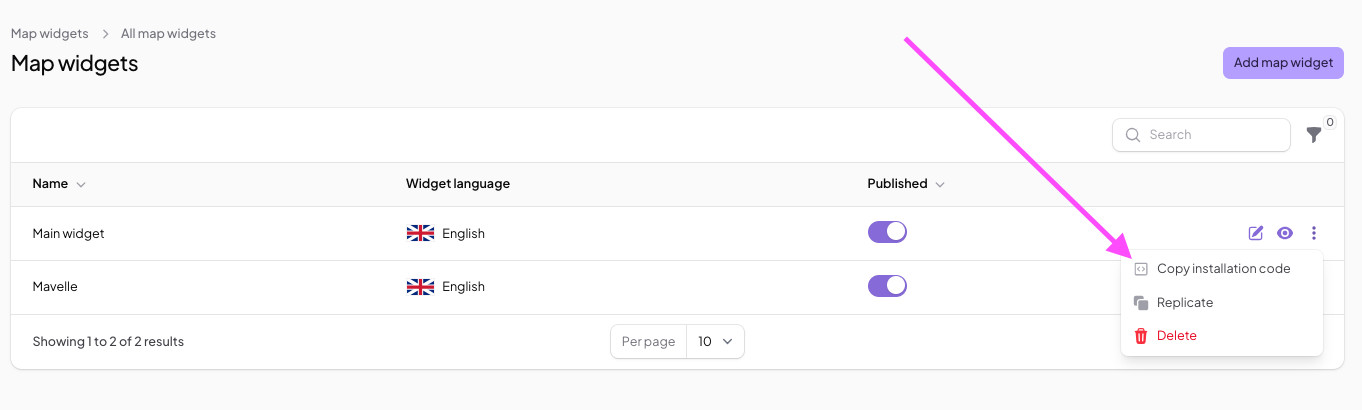
For more detailed instructions on how to set up your MapCosmos widget, check out our guide.
Phase 2: MapCosmos Integration with Jimdo
With your code ready, the final step is to add it to your Jimdo website.
- Select Your Page Log in to your Jimdo account and navigate to the page where you want to display the map.
- Add the HTML Element Hover your mouse over the area where you want your map widget to appear. Click on Add Element and then More elements and Add-ons.
Choose Widget/HTML Element. - Paste the MapCosmos Code A box will appear. Paste the installation code you copied from MapCosmos directly into this box.
- Save and Publish Save your changes. The interactive map will now be live on your Jimdo site.
The Results: A Better Connection with Local Customers
By completing this playbook, you have upgraded your Jimdo site from a simple online brochure to a powerful tool for offline engagement. Your website visitors can find the nearest store in seconds , get one-click directions sent to their phone , and filter your locations by the specific products or services they need. This improved user journey directly encourages more customers to visit you in person, helping to drive local sales.