.avif)

+
How to Implement MapCosmos Store Locator Widget in Concrete CMS
Integrating a MapCosmos store locator is a straightforward process using Concrete CMS's block-based architecture.
1. Get the Installation Code from MapCosmos:
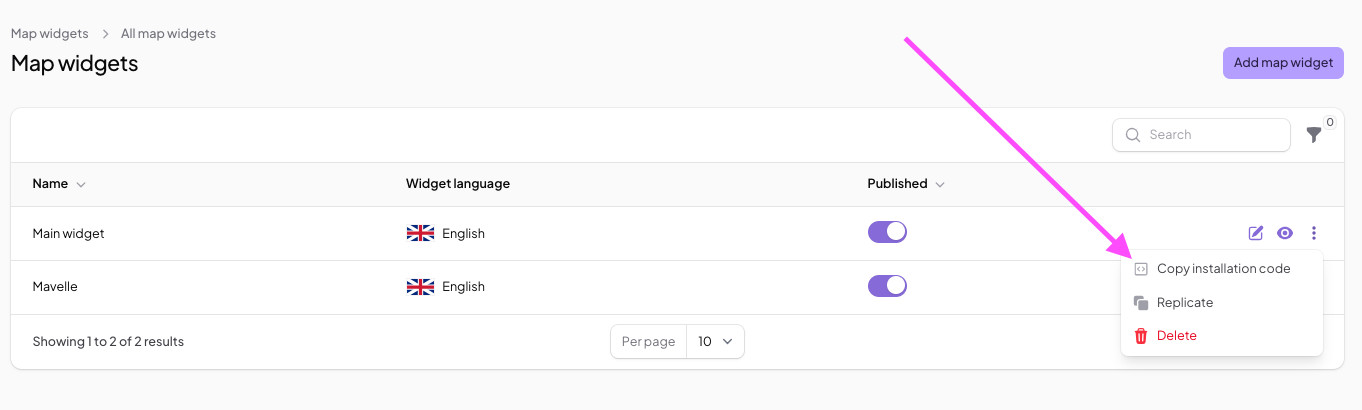
First, build your map in the MapCosmos platform. You can add your locations manually or use the bulk import tool to upload a CSV/Excel file. Customize the design to match your brand's theme, including colors, fonts, and layout. Once you're done, copy the installation code from your widget's settings.
2. Add an HTML Block:
Log in to your Concrete CMS site and navigate to the page where you want the map. Click the plus icon (+) on a content area, and select the HTML block.
.jpeg)
3. Embed the Code:
Paste the installation code you copied from MapCosmos into the HTML block editor and save your changes. Your customized store locator is now live!